
AI Learning Kits to borrow
Unlock free access to AI Learning Kits with your library card and explore AI, coding and robotics through fun, hands-on projects designed for learners of all ages and skill levels.
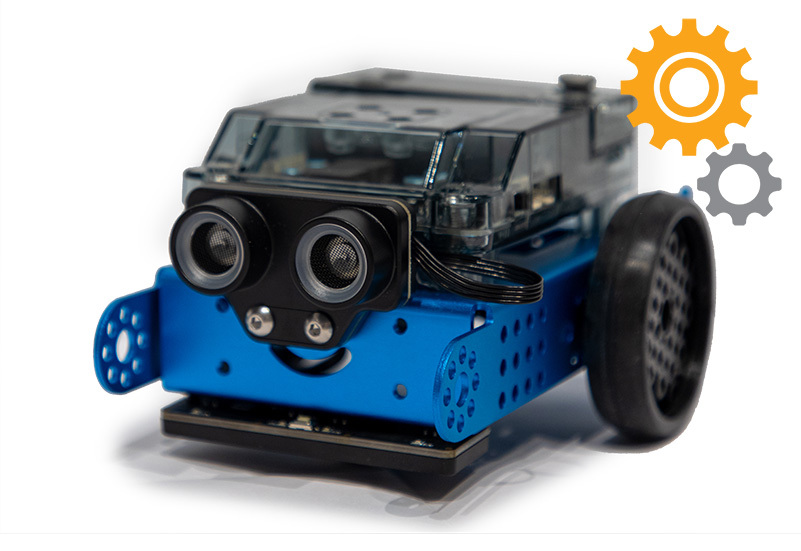 Train a robot to perform tasks using block-based coding and Python while applying AI concepts such as speech recognition, image recognition and machine learning. The kit includes self-guided projects for beginner, intermediate and advanced learners, encouraging experimentation and skill development.
What’s in the kit?
The AI Learning Kit includes tools and guides to help you learn the basics of robotics, programming and AI literacy:
- mBot2 robot - A programmable, sensor-equipped robot
- USB-C cable - For charging and connecting to your computer
- Line-follow map - For activities that use sensors to detect paths and move along them
- AI learning activities - Staff developed activities to help you understand AI concepts
How to borrow
To borrow a kit, visit a Digital Innovation Hub. For availability, please call the branch.
- To borrow an AI Learning Kit, you must present a valid adult or teen library card.
- You will need to sign a equipment loan form.
- You can borrow an AI Learning Kit for 21 days.
- Tech kits cannot be renewed or reserved.
- Tech kits must be returned to the same Digital Innovation Hub where borrowed.
- Replacement fees apply for lost or damaged kit: AI Learning Kit ($401.59)
Getting started
Whether you are brand new to robotics or have some experience with code, these kits give you everything you need to start learning, building and exploring.
To get the most out of the AI Learning Kit, you’ll need:
- A computer or tablet
- To complete the AI related projects, your device will need access to a webcam and microphone.
- Access to mBlock – A free block-based IDE (Integrated development environment)
Beginner lessons from MakeBlock
If you’ve never used an mBot2 or done any block coding, start here:
Intermediate lessons from MakeBlock
If you’re comfortable with block coding, these lessons are a great way to start building your skills with mBot2:
- Learn how to drive the mBot2 with precision using the corresponding coding blocks.
- Learn how the mBot2 sensors work and how to show the data on the display.
- Learn how to use the code blocks to record sound and play it back.
- Learn what an ultrasound is and how this sensor is used with the mBot2.
- Learn how the colour sensors work and how it can be applied to the mBot2.
- Learn how to use the code blocks for the gyroscope accelerometer to measure mBot2’s inclination and adjust its movements.
- Learn how to have the mBot2 and CyberPi communicate with each other and execute commands.
- Learn more about speech recognition an AI concept that coverts the spoken word back into text.
- Learn how to train a Machine Learning model and how to make the mBot2 react based on the output.
Advanced AI projects
If you have a good understanding of the mBot2 and block coding but want to explore different AI projects, try these:
- Train the voice model with cat meows to create a translator.
- Create an AI assistant to accurately forecast weather.
- Create block code to make the mBot2 interact and react to it’s surroundings.
Recommended AI books for adults
Immerse yourself in the world of AI with our staff-curated reading list – exploring its history, technological advancements, ethics, and future predictions.


